GeoSafe Zones: Create Safe Boundaries for Your Child Anywhere
In today’s fast-moving world, parents want freedom for their children—but never at the cost of safety. Whether it’s the daily school commute, evening playtime, or visits to tuition classes, knowing your child’s whereabouts brings priceless peace of mind. This is where GeoSafe Zones powered by Trakbond come into play.
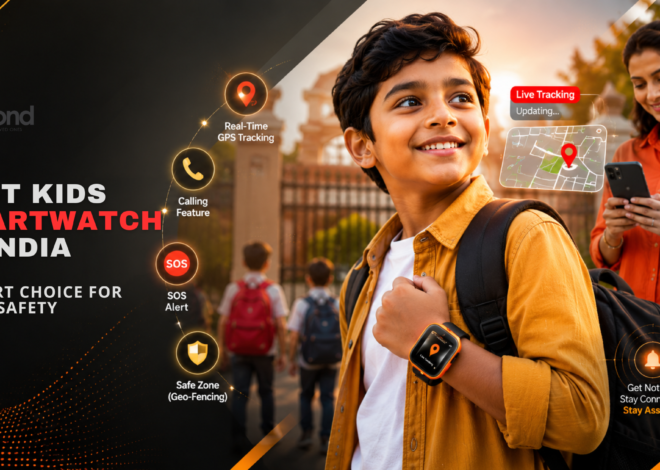
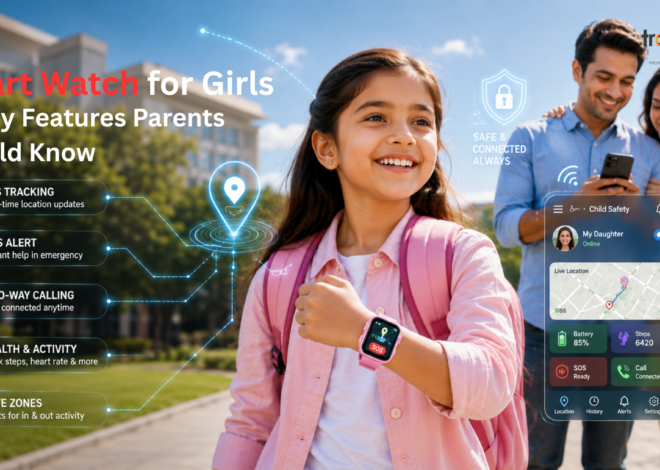
Using advanced geofencing technology in kids’ smartwatches, Trakbond allows parents to create virtual safety boundaries around important locations like home, school, playgrounds, or relatives’ houses. The moment your child enters or exits these zones, you’re instantly notified—helping you stay informed without constant calls or check-ins.
What Are GeoSafe Zones?
GeoSafe Zones, also known as geofencing, are virtual boundaries set on a map using GPS technology. When your child wearing a Trakbond GPS watch crosses these boundaries, the system automatically sends alerts to the parent’s smartphone.
Unlike manual tracking, geo-zones work proactively—monitoring movement in the background and notifying you only when something changes. This makes child safety smarter, simpler, and less intrusive.
How Geofencing Works in Trakbond Kids Watches
Trakbond’s geofencing feature uses real-time GPS tracking combined with mobile connectivity to create accurate safety zones.
Here’s how it works:
- Parents select a location on the Trakbond app (home, school, park, etc.).
- A virtual boundary is created around that area.
- When the child enters or leaves the zone, parents receive instant alerts.
- Location data updates in real time for continuous awareness.
This seamless system ensures you always know if your child is exactly where they’re supposed to be.
Common GeoSafe Zones Parents Set
School Safety Zones
School is one of the most important places to monitor. With Trakbond, parents can:
- Confirm safe arrival at school
- Get alerts if the child leaves campus early
- Monitor pickup and drop-off times
This is especially useful for working parents who can’t always be physically present.
Home Safe Zones
Setting a home geo-zone helps parents know:
- When the child arrives safely after school
- If they leave the house unexpectedly
- Movement during unsupervised hours
It adds an extra layer of safety during after-school hours.
Playground & Activity Zones
Children need freedom to play—and parents need reassurance. Geo-Safe Zones allow:
- Safe outdoor playtime monitoring
- Alerts if the child wanders too far
- Balanced independence without constant supervision
📍 Custom Zones Anywhere
Tuition centers, relatives’ homes, hobby classes, or weekend activity spots—Trakbond lets parents create custom safety zones anywhere, anytime.
Why GeoSafe Zones Are Essential for Child Safety
1. Real-Time Awareness Without Micromanaging
Parents don’t need to track their child every minute. GeoSafe Zones notify only when it matters.
2. Quick Response in Unexpected Situations
If a child leaves a safe zone unexpectedly, parents can act immediately—saving precious time.
3. Builds Child Independence Safely
Children gain confidence and independence while parents stay quietly connected.
4. Ideal for Busy & Working Parents
Perfect for families balancing work, school, and extracurricular activities.
Trakbond: Smart Tracking Designed for Kids
Unlike generic GPS trackers, Trakbond is purpose-built for children. Its smart tracking features are designed with safety, simplicity, and reliability in mind.
Key Benefits of Trakbond GeoSafe Zones
- Accurate GPS location updates
- Easy zone setup via parent app
- Instant entry/exit alerts
- Secure, child-friendly smartwatch design
- No distractions—focused on safety only
Trakbond ensures technology supports parenting—not replaces it.
How GeoSafe Zones Reduce Parental Stress
Worrying constantly about your child’s safety can be exhausting. GeoSafe Zones:
- Reduce unnecessary phone calls
- Eliminate “Where are you?” anxiety
- Provide reassurance throughout the day
Parents stay informed while children enjoy freedom—creating trust on both sides.
Setting Up GeoSafe Zones in Minutes
Trakbond’s intuitive app makes setup incredibly simple:
- Open the Trakbond parent app
- Select “Add Safe Zone”
- Pin the location on the map
- Set the zone radius
- Save and activate
That’s it—your child’s safe boundary is ready.
The Future of Child Safety Is Proactive
Child safety today is about prevention, awareness, and smart technology. GeoSafe Zones represent the future—where parents are always informed, children are protected, and independence grows naturally.
With Trakbond, safety isn’t reactive. It’s proactive, reliable, and always on.
CTA: Set Up Your Child’s Safe Zones in Minutes
Protect your child wherever they go.
Choose Trakbond and create GeoSafe Zones today for smarter, stress-free parenting.
FAQs: GeoSafe Zones & Trakbond
Q1. What is geofencing in a kids’ GPS watch?
Geofencing allows parents to set virtual safety zones and receive alerts when their child enters or exits those areas.
Q2. How accurate are Trakbond GeoSafe Zones?
Trakbond uses real-time GPS technology to provide accurate location tracking and reliable alerts.
Q3. Can I create multiple safety zones?
Yes, parents can create multiple GeoSafe Zones such as home, school, playgrounds, and other locations.
Q4. Will my child know they are being tracked?
Trakbond is designed to be transparent and child-friendly, helping build trust while ensuring safety.
Q5. Is geofencing useful for working parents?
Absolutely. GeoSafe Zones provide real-time updates without constant checking, making them ideal for busy parents.
Q6. How long does it take to set up a GeoSafe Zone?
It takes just a few minutes using the Trakbond parent app.
Q7. Does Trakbond work in different cities or locations?
Yes, GeoSafe Zones can be created anywhere, making Trakbond suitable for travel, school changes, or relocations.