Track My Phone Using Google: Find Hub vs Google Maps Explained
Smartphones have become an essential part of daily life, storing everything from personal photos to banking apps and work documents. Losing a phone can create panic, which is why many users search for solutions to track my phone quickly and efficiently.
Google offers multiple tools that help users locate devices, but many people often become confused between Google Find Hub and Google Maps location features. Although both can help locate a device, they work differently and serve different purposes.
This guide explains the differences between Find Hub and Google Maps, how they work, their advantages, limitations, and which option users should choose when trying to track my phone.
Understanding Google’s Phone Tracking Options
Google provides multiple ways for users to locate devices, protect data, and recover lost smartphones.
The two commonly used options include:
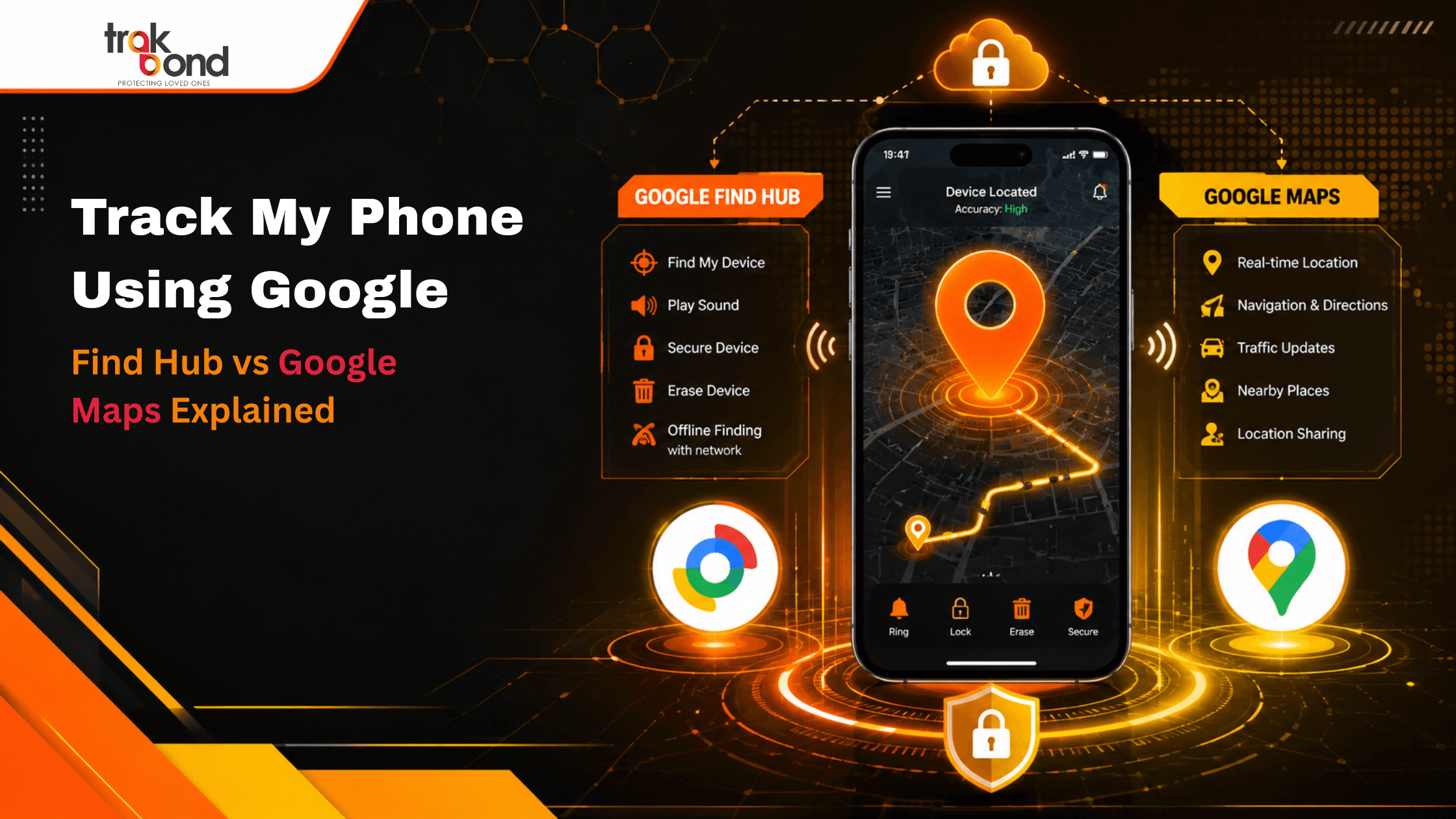
- Google Find Hub
- Google Maps Location Services
While both involve location tracking, their purposes are completely different.
What is Google Find Hub?
Google Find Hub is designed specifically for locating lost devices.
It allows users to:
- Locate phones remotely
- View device location on maps
- Play sounds remotely
- Lock devices
- Display recovery messages
- Erase data remotely
When users want to track my phone after losing a device, Find Hub is usually the primary solution.
Features of Find Hub
Real-Time Device Location
Users can see the approximate current location of their device.
Remote Ring Function
Even if the phone is silent, users can trigger loud sounds.
Device Security Controls
Users can remotely lock devices and secure data.
Multiple Device Management
Users with multiple Android devices can manage them from one account.
What is Google Maps Location Tracking?
Google Maps provides location history and location-sharing features.
Unlike Find Hub, Google Maps was not primarily designed for lost device recovery.
Google Maps helps users:
- View previously visited locations
- Share live locations with family or friends
- Track travel history
- Monitor movement routes
Many people searching for track my phone accidentally use Maps when Find Hub may be more effective.
How Google Maps Can Help Locate Phones
Although not specifically designed for lost devices, Google Maps may still assist.
Users can:
Check Timeline History
Maps may show:
- Recently visited locations
- Last known movement
- Frequently visited places
View Shared Live Locations
If location sharing was enabled beforehand, users may see the phone’s live position.
Retrace Movement
Users can identify where the phone was last carried.
Find Hub vs Google Maps: Major Differences
| Feature | Find Hub | Google Maps |
| Primary Purpose | Lost Device Recovery | Navigation & Location History |
| Live Device Tracking | Yes | Limited |
| Remote Ring | Yes | No |
| Remote Lock | Yes | No |
| Remote Data Erase | Yes | No |
| Timeline History | Limited | Yes |
| Best For | Finding Lost Phones | Viewing Movement History |
The table shows why users trying to track my phone should understand which tool fits their situation.
When Should Users Use Find Hub?
Find Hub is better when:
- The phone is lost
- The phone may be stolen
- Users need remote security controls
- Immediate device recovery is required
- Remote lock functions are necessary
Find Hub focuses primarily on device recovery.
When Should Users Use Google Maps?
Google Maps becomes useful when:
- Users want to check recent movement
- Location history is required
- The phone location disappeared recently
- Users forgot where they visited
Maps can provide additional clues when Find Hub cannot locate devices.
Steps to Track My Phone Using Google Tools
Step 1: Sign Into the Correct Google Account
Tracking only works when users access the same Google account connected to the lost device.
Step 2: Open Device Tracking Features
Users should immediately access tracking tools after noticing the device is missing.
Step 3: Check Current Location
View available location information.
Step 4: Ring the Device
If nearby, remote ringing may quickly recover the phone.
Step 5: Lock the Device
Protect sensitive data immediately.
Step 6: Check Maps History if Necessary
Review previous movement if live tracking fails.
Common Reasons Phone Tracking Fails
Sometimes users cannot track my phone successfully because:
Device Is Switched Off
Powered-off devices cannot always share live locations.
Internet Is Disabled
Tracking often requires network connectivity.
GPS Permissions Are Off
Location settings must be enabled.
Incorrect Google Account
Using the wrong account prevents device detection.
Battery Is Empty
Dead phones stop transmitting location information.
Why Dedicated Tracking Solutions Add Extra Protection
Although Google tools are helpful, users increasingly rely on dedicated tracking solutions for additional protection.
Advanced tracking platforms may provide:
- Continuous location monitoring
- Family tracking capabilities
- Real-time alerts
- Device activity monitoring
- Extended recovery features
- Enhanced location visibility
Solutions like Trakbond help users improve tracking capabilities beyond basic recovery functions.
Best Practices to Improve Phone Recovery Success
Users should:
- Enable location services permanently
- Keep device tracking active
- Enable screen locks
- Keep backup contact information
- Use secure passwords
- Regularly test tracking features
Preparation significantly improves recovery chances.
Final Thoughts
When users search for ways to track my phone, understanding the difference between Find Hub and Google Maps becomes important.
Find Hub is built primarily for lost phone recovery, remote security, and immediate tracking. Google Maps, however, provides location history and movement insights that may help identify where a device was last seen.
Using both tools together often provides the best results. Combining Google’s tracking capabilities with dedicated monitoring solutions creates stronger protection against device loss and improves recovery success.
Frequently Asked Questions (FAQs)
1. Can Google track my phone if it is switched off?
Live tracking usually becomes difficult when a phone is switched off, but users may still see the last known location.
2. Is Google Maps better than Find Hub for phone recovery?
No. Find Hub is specifically designed for lost device recovery, while Maps mainly provides location history.
3. Can I remotely ring my lost phone?
Yes. Device recovery tools often allow users to play sounds remotely even when the device is silent.
4. Does phone tracking require internet access?
Most live tracking features require internet connectivity, although some services may show previously recorded locations.
5. Can I track multiple devices using one account?
Yes. Users with multiple connected devices can often manage them under the same account.
6. What should I do immediately after losing my phone?
Users should quickly attempt tracking, secure accounts, lock devices remotely, and review recent location history.